

If you run a registered business in Pakistan, filing your monthly sales tax return is one of the most recurring compliance obligations you face. Miss it once and you get a penalty. Miss it twice and FBR starts paying attention. Miss it consistently and you are looking at serious legal exposure.
The good news is that once you understand the process, filing a sales tax return in Pakistan is not complicated. This guide walks you through every step — who must file, what documents you need, how to file on FBR IRIS, and the deadlines you absolutely cannot miss.
What Is Sales Tax in Pakistan?
Sales tax in Pakistan is a consumption tax charged on the supply of goods and services at each stage of the supply chain. The standard rate is 17% for goods and varies for services depending on the provincial authority.
Unlike income tax which is filed once a year, sales tax returns must be filed every month — by the 18th of the following month. This means if you are a registered sales taxpayer, you have 12 filing deadlines per year, every year.
Sales tax in Pakistan is administered by two sets of authorities:
Federal: The Federal Board of Revenue (FBR) administers sales tax on goods across Pakistan. You can access the FBR filing portal at fbr.gov.pk.
Provincial: Services are taxed by provincial revenue authorities — Punjab Revenue Authority (PRA), Sindh Revenue Board (SRB), Khyber Pakhtunkhwa Revenue Authority (KPRA), and Balochistan Revenue Authority (BRA). If your business provides services, you file with the relevant provincial authority — not FBR.
Who Is Required to File Sales Tax Return in Pakistan?
You must be registered for sales tax and file monthly returns if:
- Your annual turnover from taxable goods or services exceeds Rs. 10 million
- You are a manufacturer with any level of taxable supply
- You are an importer of taxable goods
- You are a retailer with annual turnover above Rs. 10 million
- You are a service provider required to register under your province’s sales tax act
- You are voluntarily registered for sales tax (for input tax credit purposes)
If you are unsure whether your business meets the threshold, checking your registration status on the FBR IRIS portal will confirm your active sales tax status. Your NTN and STRN registration details are also visible there.
Monthly Sales Tax Return Deadline
The most important number to remember: 18th of every month.
Your sales tax return for January must be filed by February 18. For June, by July 18. No exceptions — and no grace period unless FBR specifically announces an extension via SRO.
| Month of Sales | Filing Deadline |
|---|---|
| July 2025 | 18 August 2025 |
| August 2025 | 18 September 2025 |
| September 2025 | 18 October 2025 |
| October 2025 | 18 November 2025 |
| November 2025 | 18 December 2025 |
| December 2025 | 18 January 2026 |
| January 2026 | 18 February 2026 |
| February 2026 | 18 March 2026 |
| March 2026 | 18 April 2026 |
| April 2026 | 18 May 2026 |
| May 2026 | 18 June 2026 |
| June 2026 | 18 July 2026 |
Late filing penalty: 5% surcharge on the tax due for that month, plus a fixed penalty of Rs. 10,000 for each late return. Consistent late filing also flags your account for FBR audit selection.
Documents Required Before You Start
Gather these before logging into FBR IRIS:
- Your STRN (Sales Tax Registration Number)
- Sales invoices issued during the month — all output tax
- Purchase invoices from registered suppliers — for input tax claims
- Import documents if you imported goods during the month
- Bank statements showing tax payments made
- Previous month’s return for reference
One important note on purchase invoices: you can only claim input tax credit on purchases from FBR-registered suppliers who have valid STRNs. Purchases from unregistered suppliers give you no input tax benefit. This is why many Pakistani businesses insist their suppliers register for sales tax — it directly affects the buyer’s tax liability.
Step-by-Step: How to File Sales Tax Return on FBR IRIS
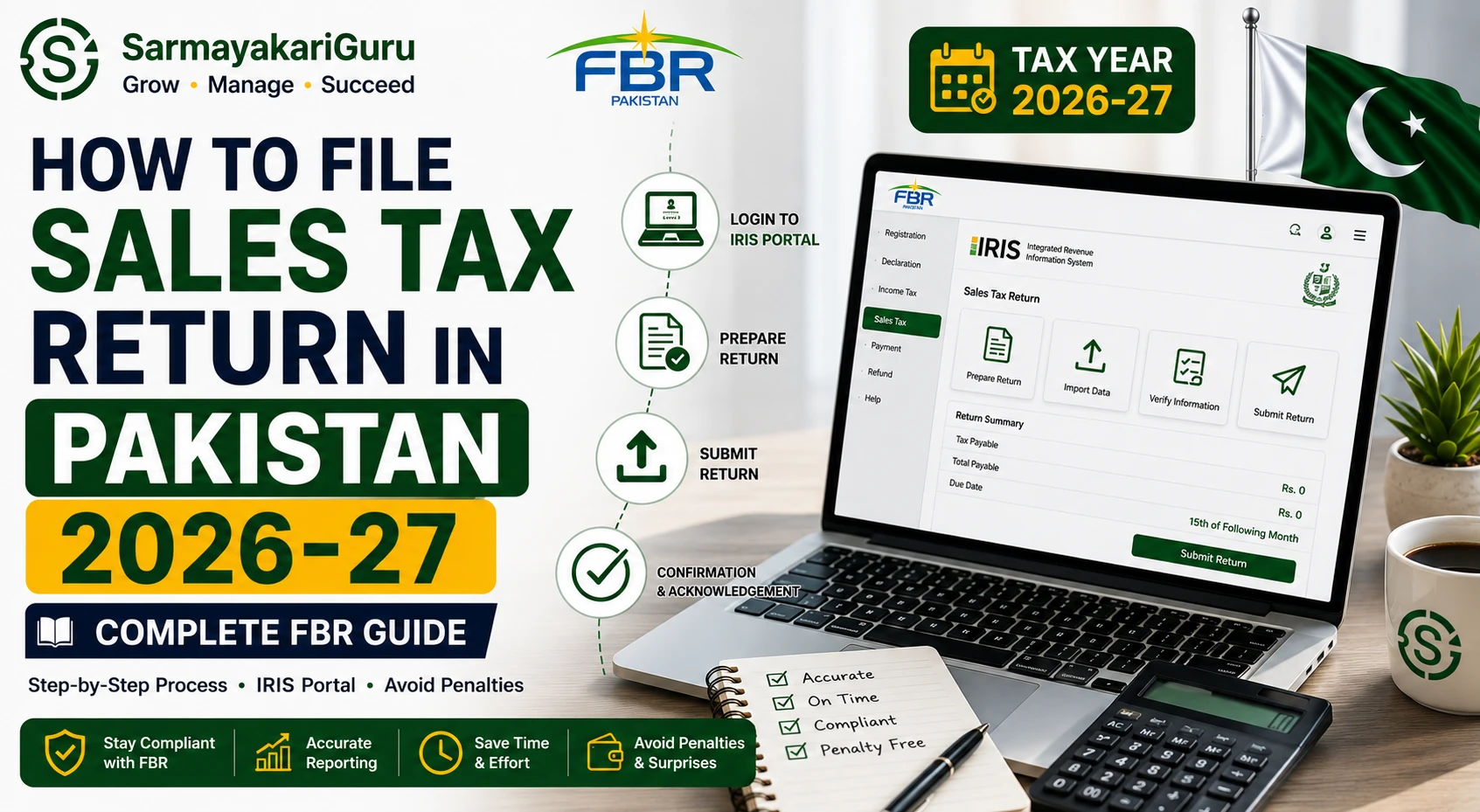
Step 1 — Login to FBR IRIS
Go to iris.fbr.gov.pk and log in with your CNIC or NTN and password. If you have never filed before and need to set up your account, our NTN and STRN registration service handles the complete setup.
Step 2 — Navigate to Sales Tax Return
From the dashboard, click Declaration in the top menu, then select Sales Tax Return. Select the relevant tax period — for example, if filing for July 2025, select July 2025.
Step 3 — Fill Annex-C (Sales / Output Tax)
Annex-C is where you declare all your sales for the month and the output tax charged.
For each sale, enter:
- Buyer’s CNIC or NTN (for B2B sales)
- Invoice number and date
- Taxable value of the sale
- Sales tax amount charged (17% for standard rate goods)
The system calculates your total output tax automatically from these entries.
Step 4 — Fill Annex-A (Purchases / Input Tax)
Annex-A is where you claim input tax credit on your purchases from registered suppliers.
For each purchase from a registered supplier, enter:
- Supplier’s STRN
- Invoice number and date
- Taxable value of the purchase
- Input tax amount
Critical: Only purchases from registered suppliers with valid STRNs qualify for input tax. The system cross-checks supplier STRNs automatically — invalid or unregistered suppliers will be flagged and their input tax disallowed.
Step 5 — Calculate Net Tax Payable
The system automatically calculates:
Net Tax Payable = Total Output Tax − Total Input Tax
If your output tax exceeds input tax — you pay the difference. If your input tax exceeds output tax — you have an excess credit that carries forward to the next month.
Step 6 — Pay the Tax
Before submitting the return, pay any tax due through:
- Online banking — most Pakistani banks support FBR tax payments directly
- 1-Bill payment system at any bank branch
- ATM — FBR payments are available at most major bank ATMs
Generate a Payment Slip ID (PSID) from IRIS first, then make payment using that ID. Keep the payment confirmation.
Step 7 — Submit the Return
After payment confirmation appears in IRIS, click Submit on your return. You will receive an acknowledgment number — save this as proof of filing. The return status will change to Submitted in your IRIS dashboard.
Provincial Sales Tax — If You Provide Services
If your business provides services in Pakistan, sales tax is administered provincially — not by FBR.
Punjab — PRA (Punjab Revenue Authority): File at pra.punjab.gov.pk. Standard rate 16% on most services.
Sindh — SRB (Sindh Revenue Board): File at srb.gos.pk. Standard rate 13% on most services.
KPK — KPRA (Khyber Pakhtunkhwa Revenue Authority): File at kpra.kp.gov.pk. Standard rate 15%.
Balochistan — BRA (Balochistan Revenue Authority): File at bra.gob.pk. Standard rate 15%.
If your services span multiple provinces — for example, you provide IT services to clients in both Punjab and Sindh — you may need to register with multiple provincial authorities. SarmayakariGuru’s team handles multi-provincial sales tax compliance for businesses operating across Pakistan.
Input Tax vs Output Tax — Understanding the Difference
This is the core concept of sales tax that many Pakistani business owners find confusing at first.
Output tax is the sales tax you collect from your customers when you sell goods or services. If you sell goods worth Rs. 100,000 at 17% sales tax, you collect Rs. 17,000 in output tax from your customer.
Input tax is the sales tax you paid to your suppliers when you purchased goods or services for your business. If you bought raw materials worth Rs. 50,000 at 17%, you paid Rs. 8,500 in input tax to your supplier.
Net tax payable = Rs. 17,000 − Rs. 8,500 = Rs. 8,500
You only pay the difference to FBR — not the full output tax amount. This is why registering for sales tax and properly recording input tax credits can significantly reduce your actual tax payments. Our bookkeeping and accounting services ensure every eligible input tax is properly recorded and claimed.
Common Mistakes Pakistani Businesses Make in Sales Tax Returns
Not recording all sales. FBR cross-matches your sales tax data with your buyers’ purchase records. If a buyer claims input tax on a purchase from you but you have not declared that sale — FBR will notice the mismatch and send a notice.
Claiming input tax from unregistered suppliers. You cannot claim input tax on purchases from suppliers who are not registered for sales tax. Always verify your supplier’s STRN on fbr.gov.pk before making large purchases and expecting to claim the input tax.
Missing the 18th deadline. This one seems obvious but is the most common mistake. Set a recurring reminder for the 17th of every month — one day before the deadline — to ensure your return is always submitted on time.
Filing a nil return when you have had no sales. Even in months with zero sales, you must file a nil return by the 18th. Failing to file — even when there is nothing to pay — still attracts a penalty.
Not reconciling with income tax records. Your declared sales in monthly sales tax returns should reconcile with your annual income tax return. Large discrepancies between the two raise red flags during FBR audit selection.
What Happens If You Do Not File Sales Tax Return?
FBR takes non-filing seriously. The consequences escalate quickly:
- Immediate: Rs. 10,000 fixed penalty per late return plus 5% surcharge on tax due
- After 2 months: FBR may suspend your STRN — blocking you from issuing valid sales tax invoices
- After consistent non-filing: FBR issues a best judgment assessment — estimating your tax liability and demanding payment with additional penalties
- Extreme cases: Criminal prosecution under the Sales Tax Act 1990
The penalties for non-filing always exceed the cost of professional help with your returns. SarmayakariGuru handles monthly sales tax returns across Pakistan for businesses of all sizes — contact us for a free consultation to discuss your specific situation.
Sales Tax Registration — If You Are Not Yet Registered
If your business turnover has crossed Rs. 10 million annually and you are not yet registered for sales tax — you should register immediately. Operating above the threshold without registration is a serious compliance violation.
Registration requires your NTN, CNIC, business address utility bill, and bank account details. The complete process is done online through FBR IRIS. Our team handles sales tax registration and STRN issuance within 3 to 5 working days.